How To - Get Preview HTML
How to get the rendered HTML from your MyOshi preview.
The best way to accurately preview your content is to use a copy of your profile in the editor. To get the rendered HTML from your MyOshi preview, you can use the browser’s developer tools to inspect the preview iframe. Here’s how you can do it:
How to get the rendered HTML from your MyOshi preview
- Open your MyOshi profile editor on the MyOshi website.
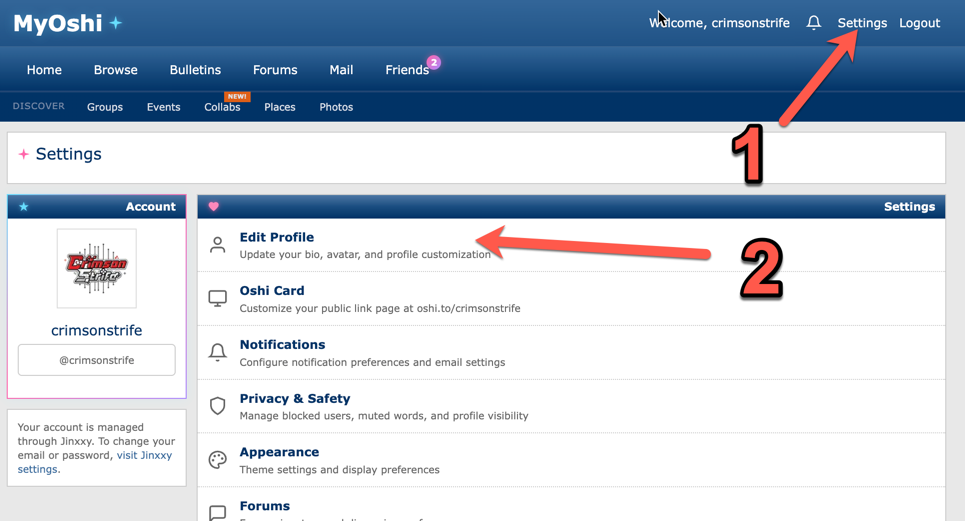
- Click on the Settings link in the top-right corner of the site.
- Click on the Edit Profile link.
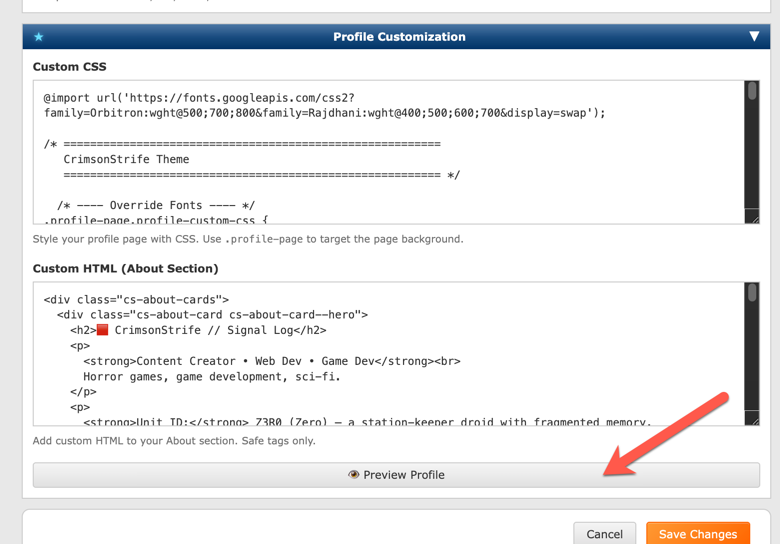
- Scroll down to the Profile Customization section and click on the Preview Profile button.
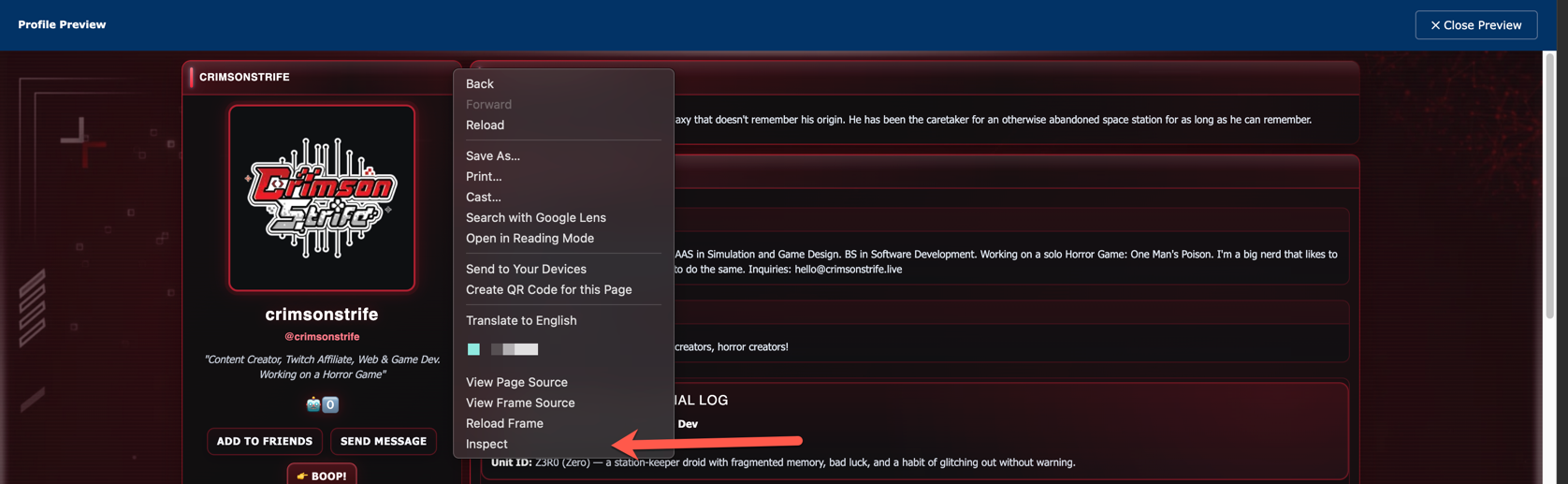
- In the preview iframe, right-click anywhere on the page and select Inspect.
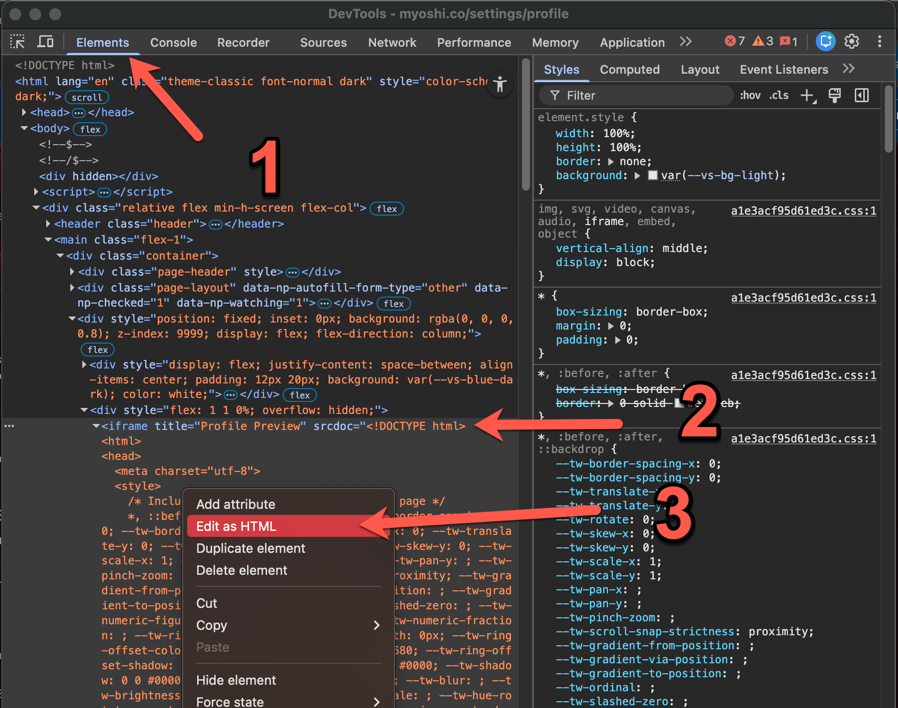
- In the developer tools, navigate to the Elements tab.
- Make sure you’re in the Elements tab.
- Find the iframe element with the Title attribute set to “Profile Preview”.
- Right-click on the iframe element and select Edit as HTML.
- Select all the HTML code and copy it to your clipboard, either by right-clicking and selecting Copy or by pressing Ctrl+A and then Ctrl+C.
- Paste the copied HTML code into the Template field in the Labs Editor here in the app, then click Extract Base.
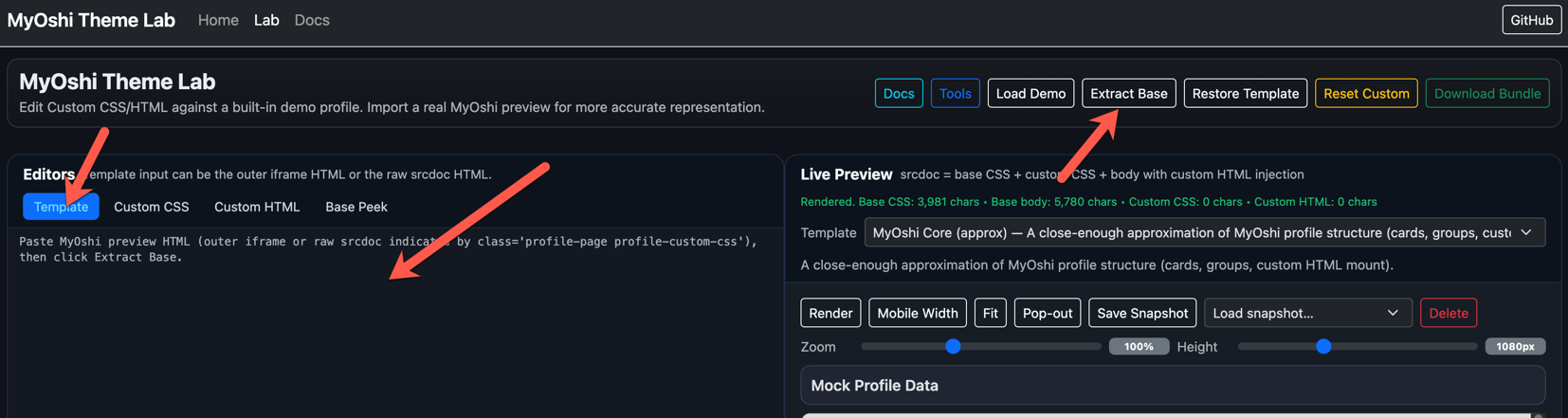
- Your profile should now be ready to be edited!
Important notes
Any existing CSS and Custom HTML on your profile should be extracted automatically into the CSS and Custom HTML fields in the Labs Editor provided you paste the entire iframe HTML code into the Template field. If you paste just the profile code from the div with the classes ‘class=“profile-page profile-custom-css”’, it will may not be able to extract the CSS and Custom HTML, and while it may preview correctly, you may be overwriting your existing CSS and Custom HTML when you paste your finished profile code back to your profile. I recommend always backing up your current CSS and Custom HTML from your profile into a text document before overwriting it with designs created here.